Introduction & Background
Behind the sleek screen of your computer lies a bustling metropolis of unseen components, each playing a vital role in bringing your digital world to life. While the outer shell often steals the spotlight, it is the intricate inner workings that truly power productivity, creativity, and entertainment. These hidden heroes, often overlooked, form the backbone of every keystroke, click, and computation. From the moment you press the power button to the seamless streaming of your favorite show, countless electronic marvels collaborate silently to deliver an experience that feels almost magical. This article peels back the layers to reveal the fascinating mechanics inside your computer’s guts, celebrating the unsung champions that make modern computing possible.
Concept & Overview
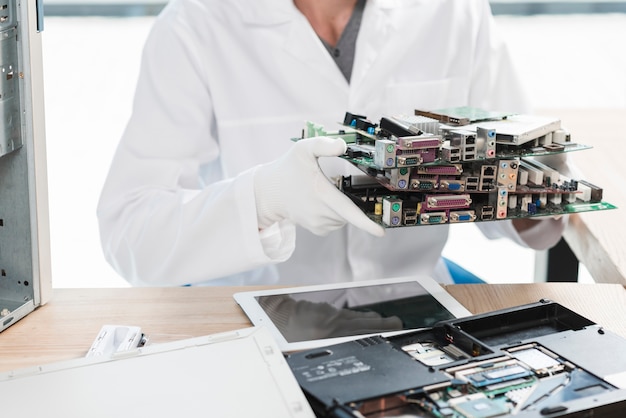
The term “computer guts” refers to the internal hardware components that work together to process information, execute instructions, and manage data. These components operate on fundamental principles of electronics, physics, and engineering, translating raw electricity into meaningful actions. At the heart of this system lies the central processing unit (CPU), often called the brain of the computer, which interprets and executes instructions from software programs. Surrounding the CPU are other critical elements, such as the motherboard, which acts as a central hub connecting all parts, and the memory modules, which temporarily store data for quick access. Storage devices, like hard drives or solid-state drives, securely retain information long-term, while the power supply unit ensures a steady flow of energy to keep everything running smoothly. Together, these components form a complex network that brings your computer to life, turning binary code into the vibrant digital experiences you rely on every day.
Key Features & Highlights
- Central Processing Unit (CPU): The primary chip that executes instructions from programs, determining the speed and efficiency of your computer. Modern CPUs contain multiple cores to handle multitasking.
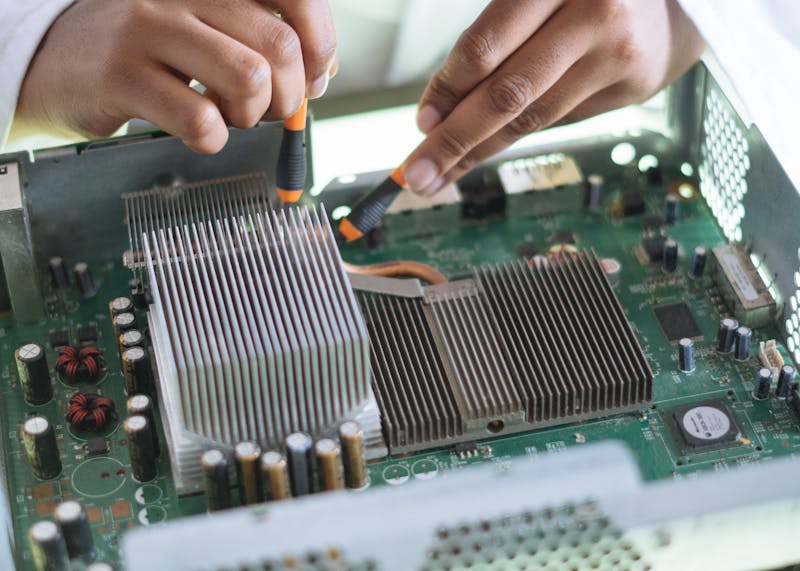
- Motherboard: The main circuit board that connects all components, including the CPU, RAM, storage, and expansion cards. It facilitates communication between hardware parts and houses essential chips like the BIOS.
- Random Access Memory (RAM): Temporary memory that stores data your computer is actively using. More RAM allows for smoother multitasking and faster performance in demanding applications.
- Graphics Processing Unit (GPU): A specialized chip designed to render images, videos, and animations. GPUs are crucial for gaming, video editing, and graphic design.
- Storage Devices: Hard Disk Drives (HDDs) and Solid State Drives (SSDs) store your operating system, applications, and personal files. SSDs are faster and more reliable due to their lack of moving parts.
- Power Supply Unit (PSU): Converts electricity from your wall outlet into a form that your computer components can use. A high-quality PSU ensures stable performance and prevents damage from power fluctuations.
- Cooling Systems: Fans, heat sinks, and liquid cooling solutions dissipate heat generated by components like the CPU and GPU. Effective cooling prevents overheating and extends the lifespan of your hardware.
Frequently Asked Questions / Pros & Cons
What happens when a computer starts up?
When you power on your computer, the motherboard’s BIOS or UEFI firmware initializes a series of diagnostic tests called the Power-On Self-Test (POST). This checks that all essential hardware is functioning correctly. Once verified, the system loads the operating system from your storage device into RAM, enabling you to interact with your computer. The BIOS also configures hardware settings and ensures compatibility between components.
What is the difference between HDD and SSD?
Hard Disk Drives (HDDs) use spinning magnetic disks to store data, while Solid State Drives (SSDs) use flash memory chips. SSDs are significantly faster, more durable, and energy-efficient, as they have no moving parts. However, HDDs often provide larger storage capacities at a lower cost per gigabyte, making them ideal for bulk storage needs.
Why does my computer get hot, and how can I prevent overheating?
Computers generate heat as components like the CPU and GPU process data. Overheating occurs when cooling systems fail to dissipate this heat effectively. Symptoms include fan noise, performance throttling, or unexpected shutdowns. To prevent overheating, ensure proper airflow by cleaning dust from fans, using thermal paste when necessary, and avoiding confined spaces for your computer. Upgrading to liquid cooling can also help maintain lower temperatures.
How do I know if my power supply unit needs replacing?
Signs of a failing power supply include random shutdowns, flickering lights, or failure to power on. You may also notice burning smells or unusual noises from the PSU. Replacing a power supply is critical for protecting other components from electrical damage. Always choose a PSU with sufficient wattage for your system and opt for reputable brands to ensure reliability.
Practical Guidance & Solutions
Understanding your computer’s inner workings empowers you to make informed decisions about maintenance and upgrades. If you notice sluggish performance, consider upgrading your RAM or switching to an SSD for faster boot times. For gamers or content creators, investing in a high-performance GPU can dramatically improve rendering speeds and visual quality. Regularly cleaning dust from fans and vents can prevent overheating, while monitoring power consumption helps avoid overloading your PSU. When upgrading components, always check compatibility with your motherboard to ensure seamless integration. Additionally, familiarize yourself with safe handling practices, such as grounding yourself before touching internal parts to prevent static damage. By taking these proactive steps, you can extend the lifespan of your computer and enjoy a smoother, more reliable computing experience.
Conclusion
The magic inside your computer’s guts is a testament to human ingenuity and technological advancement. Each component, from the CPU to the cooling system, plays a unique and essential role in transforming electricity into the digital experiences we rely on daily. While these hidden heroes often operate in silence, their contributions are anything but ordinary. By appreciating the complexity and functionality of your computer’s internals, you gain a deeper understanding of the tools that power your work, creativity, and entertainment. Next time you boot up your device, take a moment to marvel at the intricate dance of technology happening beneath the surface, turning ones and zeros into the vibrant world you see on screen. Embrace the magic, and let your curiosity guide you to explore further the incredible machines that bring your digital dreams to life.